
Workers Comp Website Design
The Ultimate Guide for Law Firms

Written by: Rahul Mulchandani
Founder, Digital Marketing Strategist and
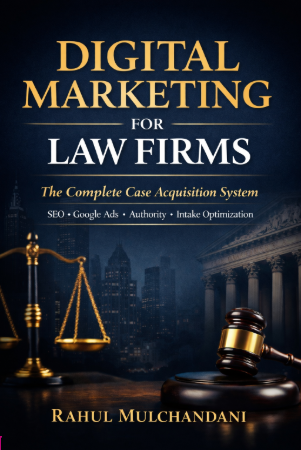
Author of "Digital Marketing For Lawyers" Book
Written by: Rahul Mulchandani
Founder, Digital Marketing Strategist and Author of "Digital Marketing For Lawyers" Book
Table of Contents
Workers Comp Website Design is no longer just about having a professional-looking website. For workers’ compensation law firms, your website is often the first consultation, intake coordinator, and trust-building conversation a potential client experiences before ever picking up the phone. The firms winning today are not necessarily the largest firms or those with the biggest advertising budgets. They’re the firms whose websites answer questions quickly, establish credibility immediately, and make it effortless for injured workers to take the next step.
Analyze this Workers Comp Website Design for Lawyers content with AI tools:
ChatGPT Perplexity Grok Google AI ClaudeMany workers’ compensation websites still fail at the fundamentals. They bury phone numbers, overwhelm visitors with legal jargon, ignore mobile usability, and treat design as decoration rather than a business development tool. The result is predictable: high bounce rates, poor lead quality, and lost cases that go to competitors with more effective digital experiences.
This guide explores what modern Workers Comp Website Design actually requires in 2026. You’ll learn how successful firms structure their sites, improve user experience, build trust, support SEO performance, and optimise every page to convert visitors into consultations. Many firms also work with a law firm seo agency to strengthen search visibility, improve website performance, and generate more qualified workers’ compensation leads.
Why Workers Comp Website Design Matters More Than Ever
Workers’ compensation clients behave differently from many other legal consumers.
Unlike someone researching estate planning months in advance, injured workers often arrive on your website during an extremely stressful period. They may be worried about lost income, employer retaliation, denied benefits, medical treatment approvals, or uncertainty about whether they even qualify for compensation.
Your website must respond to that urgency.
Research across legal websites consistently shows that visitors form impressions within seconds. Before they read your credentials, they ask themselves:
Am I in the right place?
Can this firm help someone like me?
Do I trust these attorneys?
How do I contact them immediately?
If your website fails to answer these questions quickly, potential clients leave.
The Shift from Digital Brochure to Intake Asset
Many firms still approach website projects as branding exercises. They focus heavily on aesthetics while overlooking performance.
Modern Workers Comp Website Design functions as an intake system.
A well-designed website should:
Educate injured workers.
Reduce anxiety.
Pre-qualify leads.
Capture consultations.
Support search visibility.
Reinforce trust at every stage.
The firms that understand this shift typically experience improvements in both lead quality and conversion rates.
The Cost of Poor Design
Poor design decisions create measurable business consequences.
Examples include:
Hidden phone numbers reducing call volume.
Slow-loading pages increasing abandonment.
Confusing navigation frustrating visitors.
Generic messaging weakening differentiation.
Weak trust signals lowering conversion rates.
Even a small improvement in conversion efficiency can produce substantial returns in high-value legal practice areas.
Consider this scenario:
A workers’ compensation website receives 3,000 monthly visitors from SEO and paid advertising.
If consultation conversion increases from 2.5% to 4%, that improvement produces:
75 consultations per month at 2.5%
120 consultations per month at 4%
That difference of 45 additional consultations each month can significantly impact annual case acquisition.
What Makes Workers Comp Website Design Different
Workers’ compensation law presents unique design challenges that general legal websites often fail to address.
Design choices that work for corporate law firms or estate planning practices may perform poorly in this environment.
Visitors Often Arrive Under Stress
Many injured workers experience:
Financial pressure.
Pain and medical uncertainty.
Employer concerns.
Fear of job loss.
Confusion about legal rights.
Design should reduce cognitive load rather than increase it.
Practical implications include:
Simple language.
Clear headings.
Prominent contact options.
Step-by-step explanations.
Reassuring visual hierarchy.
Education Is Part of Conversion
Workers’ compensation claims involve processes many people have never encountered.
Visitors commonly ask:
Do I qualify?
Can I choose my doctor?
What if my claim was denied?
Can my employer fire me?
How much is my case worth?
How long will benefits last?
Effective Workers Comp Website Design anticipates these concerns and answers them throughout the user journey.
Local Trust Matters
Most workers’ compensation firms compete regionally rather than nationally.
Prospective clients often want reassurance that you understand:
State-specific workers’ compensation laws.
Local employers.
Nearby industries.
Regional judges and administrative processes.
This makes local credibility signals especially valuable.
Examples include:
Office photography.
Attorney introductions.
Local testimonials where permitted.
Community involvement.
State-specific content.
Mobile Usage Dominates
Workers’ compensation traffic frequently skews heavily toward mobile users.
Potential clients may search:
During breaks at work.
From medical waiting rooms.
Immediately after appointments.
While speaking with family members.
Mobile-first design is therefore not optional.
Your website should prioritise:
Thumb-friendly navigation.
Click-to-call functionality.
Fast page speeds.
Readable typography.
Short consultation forms.
The Foundations of a High-Converting Workers Comp Website
Successful websites combine user experience, trust, and conversion strategy.
No single feature creates outstanding performance.
Instead, multiple elements work together.
Clear Value Proposition Above the Fold
The area visible without scrolling should communicate three things immediately:
Who You Help
Avoid vague statements such as:
“Providing exceptional legal services since 1994.”
Instead, be direct.
Examples include:
Helping Injured Workers Secure the Benefits They Deserve.
or
Representing Employees Across [State] After Workplace Injuries and Denied Claims.
Specificity improves relevance.
What You Do
Visitors should instantly understand your focus.
Examples:
Workers’ compensation claims.
Denied benefits appeals.
Workplace injury representation.
Occupational illness claims.
Permanent disability cases.
What Visitors Should Do Next
Every page should guide action.
Primary calls-to-action often include:
Schedule a free consultation.
Call now.
Request a case evaluation.
Avoid competing CTAs that create decision paralysis.
Strategic Contact Placement
Many firms underestimate how often users scroll unpredictably.
Phone numbers should appear:
In the header.
Within mobile sticky navigation.
Throughout long-form pages.
Near consultation prompts.
In the footer.
Contact access should never require effort.
Strong Visual Hierarchy
Visual hierarchy determines what users notice first.
Use hierarchy to emphasise:
Headline.
Primary CTA.
Supporting trust signals.
Educational content.
Secondary actions.
When every element competes equally for attention, users become overwhelmed.
Fast Load Times
Page speed directly influences user experience.
Particularly important metrics include:
Largest Contentful Paint (LCP)
Target:
Under 2.5 seconds.
LCP measures how quickly major content becomes visible.
Interaction to Next Paint (INP)
Google increasingly uses INP to evaluate responsiveness.
Aim for:
Under 200 milliseconds.
Cumulative Layout Shift (CLS)
Target:
Below 0.1.
Unexpected movement during page loading creates frustration and harms usability.
Common speed improvements include:
Compressing images.
Limiting unnecessary plugins.
Using modern image formats.
Implementing browser caching.
Deferring non-critical scripts.
Accessibility Fundamentals
Accessibility improves both usability and compliance.
Practical measures include:
Adequate colour contrast.
Descriptive form labels.
Keyboard navigation support.
Alt text for meaningful images.
Readable font sizes.
Logical heading structures.
Accessibility enhancements often improve conversion performance for all users, not only those with disabilities.
Get More Clients for Your Law Firm
Stop losing potential cases to competitors. Let’s build a strategy that brings you consistent, high-quality leads.
Information Architecture and Page Structure
Even attractive websites fail when users cannot find information.
Information architecture determines how content is organised, connected, and prioritised.
For workers’ compensation firms, clarity almost always outperforms complexity.
Keep Primary Navigation Focused
One common mistake is overcrowding the navigation menu.
Firms sometimes include every practice area, award, resource, and blog category in the main header.
The result is confusion.
A stronger approach limits top-level navigation to essentials such as:
Home
Workers’ Compensation Cases
Attorneys
Results
Resources
Reviews
Contact
Everything else can live within supporting pages.
Structure Content Around User Intent
Visitors arrive with different objectives.
Some want immediate representation.
Others are researching before contacting a lawyer.
Effective architecture serves both groups.
Common page pathways include:
Immediate Help Path
Homepage → Practice Area → Consultation
Research Path
Homepage → Educational Resource → Attorney Bio → Consultation
Trust Validation Path
Homepage → Reviews → Results → Consultation
Understanding these journeys allows firms to remove unnecessary friction.
Dedicated Practice Area Pages
Many firms rely on one broad workers’ compensation page.
That approach limits both SEO visibility and user relevance.
Instead, create focused pages addressing specific issues such as:
Denied Workers’ Compensation Claims
Repetitive Stress Injuries
Construction Accidents
Occupational Illnesses
Permanent Disability Benefits
Third-Party Workplace Injury Claims
Each page should answer intent-specific questions while guiding users toward consultation.
Building Trust Through Strategic Design Elements
Trust is the single biggest conversion driver on workers’ compensation websites.
Injury victims are not comparing law firms the same way they compare software products. They’re deciding whether to share sensitive information with a legal team that may influence their financial stability, medical treatment, and future employment.
The question isn’t simply:
“Does this firm look professional?”
It’s:
“Do I trust these people enough to call them?”
The most effective Workers Comp Website Design strategies deliberately answer that question.
Attorney Visibility Matters
Many firms hide their attorneys behind generic stock photography and corporate messaging.
That’s a mistake.
Workers’ compensation cases are deeply personal. Potential clients want reassurance that real people will guide them through the process.
Include:
Professional attorney headshots.
Short introductory videos.
Individual attorney biographies.
Years of workers’ compensation experience.
Relevant certifications and memberships.
Speaking engagements and publications.
What High-Converting Attorney Bios Include
Instead of lengthy career timelines, effective bios answer practical questions:
How long have you handled workers’ compensation claims?
What types of injured workers do you represent?
What motivates your practice?
What can clients expect when working with you?
This humanises the firm without sacrificing authority.
Reviews and Testimonials
Social proof significantly influences consultation decisions.
Where ethics rules permit, feature:
Google reviews.
Video testimonials.
Written testimonials.
Client success stories.
Satisfaction metrics.
Avoid displaying reviews as decorative content buried in the footer.
Instead, strategically place them:
Near consultation forms.
On practice area pages.
Within attorney profiles.
Adjacent to case process explanations.
Case Results and Outcomes
Prospective clients want evidence of competence.
However, workers’ compensation marketing requires careful ethical compliance.
Rather than making guarantees, frame results appropriately.
Example:
Prior outcomes do not guarantee future results. Every case is unique.
Useful formats include:
Settlement summaries.
Benefit recovery examples.
Appeals won.
Disability classifications secured.
Trust Signals That Generic Articles Miss
Many articles stop at testimonials.
Experienced legal marketers go further.
Additional trust indicators include:
Bar Memberships
Display affiliations with:
State Bar Associations.
Workers’ Compensation Sections.
Specialty organisations.
Awards and Recognition
Use only credible distinctions.
Examples:
Peer-reviewed recognitions.
Local legal awards.
Industry rankings.
Avoid cluttering pages with dozens of questionable badges.
Media Features
If attorneys have appeared in:
News interviews,
Podcasts,
Publications,
Industry panels,
feature those appearances.
Third-party validation strengthens credibility.
SEO Considerations That Influence Website Design
Design and SEO are no longer separate disciplines.
Google increasingly rewards websites that provide positive user experiences alongside authoritative content.
Strong Workers Comp Website Design supports both rankings and conversions.
Core Web Vitals Influence User Experience
Google’s page experience systems evaluate performance signals.
The most important include:
Largest Contentful Paint (LCP)
Target:
Less than 2.5 seconds.
Large hero images frequently slow workers’ compensation websites.
Optimise by:
Using next-generation image formats.
Compressing files.
Prioritising visible content.
Interaction to Next Paint (INP)
Target:
Under 200 milliseconds.
Common INP problems include:
Excessive JavaScript.
Multiple chat widgets.
Heavy animation effects.
Cumulative Layout Shift (CLS)
Target:
Below 0.1.
Poor implementations occur when:
Images load without dimensions.
Sticky banners appear suddenly.
Review widgets shift content.
These seemingly minor issues frustrate users.
Mobile-First Indexing
Google primarily evaluates the mobile version of websites.
This has major implications.
Your mobile experience should provide:
Full content parity.
Fast loading.
Easy navigation.
Functional forms.
Clickable phone numbers.
A desktop-first approach often produces hidden mobile usability problems.
Internal Linking Architecture
Many firms overlook internal linking opportunities.
Strategic links help:
Users discover relevant resources.
Search engines understand topical relationships.
Practice pages build authority.
For example:
A denied claims page should naturally link to:
Appeals information.
Attorney profiles.
Consultation pages.
Related FAQs.
Topical Authority Through Content Clusters
Google’s Helpful Content systems increasingly reward depth.
Instead of publishing isolated articles, build content hubs.
Example workers’ compensation cluster:
Pillar Page:
Workers’ Compensation Guide
Supporting Content:
What Happens After a Claim Denial?
Temporary Disability Benefits Explained
Can You Be Fired After Filing?
Independent Medical Examinations
Construction Injury Claims
Returning to Work Restrictions
This architecture signals expertise.
Local SEO Design Integration
Workers’ compensation representation is highly local.
Design should support local visibility through:
Office location pages.
Embedded maps.
Attorney service areas.
State-specific resources.
Location schema implementation.
A visitor should immediately understand:
“This firm serves people in my area.”
Common Workers Comp Website Design Mistakes
Many firms don’t lose leads because of one catastrophic error.
Instead, dozens of smaller issues gradually undermine performance.
Mistake 1: Designing for Partners Instead of Clients
Internal stakeholders often prioritise:
Firm history.
Awards.
Office photography.
Legal terminology.
Clients prioritise:
Immediate help.
Answers.
Trust.
Accessibility.
Client needs should guide design decisions.
Mistake 2: Using Excessive Legal Jargon
Workers’ compensation terminology can overwhelm visitors.
Terms such as:
Maximum Medical Improvement.
Administrative adjudication.
Vocational rehabilitation determinations.
should be explained in plain language.
Clarity builds confidence.
Complexity creates abandonment.
Mistake 3: Overcomplicated Navigation
Too many menu items produce decision fatigue.
Signs of problematic navigation include:
Mega menus.
Duplicate links.
Multiple competing CTAs.
Hidden pages.
Simplification usually improves engagement.
Mistake 4: Weak Calls-to-Action
Generic prompts underperform.
Avoid:
Contact Us
Instead, use action-oriented language.
Examples:
Speak With a Workers’ Compensation Lawyer Today
Request Your Free Case Evaluation
Get Help With Your Denied Claim
Specificity increases conversions.
Mistake 5: Ignoring Mobile Experience
Common mobile problems include:
Tiny buttons.
Difficult forms.
Slow pages.
Intrusive pop-ups.
Given the prevalence of mobile legal searches, these mistakes are costly.
Mistake 6: Treating SEO as an Afterthought
Some firms redesign first and address SEO later.
Consequences include:
Traffic losses.
Broken links.
Missing metadata.
Indexing problems.
SEO planning should begin before wireframes.
Mistake 7: Measuring the Wrong Metrics
Traffic alone doesn’t indicate success.
Better indicators include:
Consultation conversion rate.
Qualified lead rate.
Cost per acquisition.
Phone call volume.
Form completion rates.
Practice-area conversion performance.
A smaller audience with higher intent often generates stronger ROI.
Emerging Trends in Workers Compensation Law Firm Websites
The legal marketing landscape continues evolving.
Several developments are shaping Workers Comp Website Design in 2026.
Conversational Intake Experiences
Static forms are increasingly being replaced by guided experiences.
Examples include:
Conditional intake questionnaires.
Interactive claim assessments.
Chat-assisted screening tools.
When implemented thoughtfully, these experiences improve completion rates.
Video-Led Education
Short educational videos help simplify complex topics.
Effective topics include:
What to do after a workplace injury.
Understanding denied claims.
The workers’ compensation process.
Choosing legal representation.
Video also strengthens E-E-A-T signals by showcasing attorney expertise.
First-Party Data Strategy
Privacy changes continue reducing reliance on third-party tracking.
Leading firms focus on:
CRM integration.
First-party lead capture.
Call tracking.
Offline conversion imports.
Understanding which channels produce retained cases becomes increasingly important.
AI-Assisted User Experiences
Artificial intelligence is influencing legal websites.
Practical applications include:
FAQ assistance.
Intake routing.
Content recommendations.
Resource discovery.
However, firms should avoid replacing meaningful human interaction with generic automation.
Workers’ compensation clients still value empathy.
Accessibility as Competitive Advantage
Accessibility is shifting from compliance initiative to strategic differentiator.
Accessible websites often produce:
Better usability.
Stronger engagement.
Lower friction.
Improved satisfaction.
Firms that invest early gain advantages competitors overlook.
Next Steps for Improving Your Website
Most workers’ compensation firms don’t need a complete redesign to improve results.
Start by auditing the fundamentals.
Review your homepage from the perspective of an injured worker encountering your firm for the first time. Can visitors immediately understand who you help, why they should trust you, and how to contact you? Test your mobile experience, evaluate your page speed, review your calls-to-action, and identify areas where confusion may occur. Prioritise changes that reduce friction and improve clarity before pursuing cosmetic enhancements.
The highest-performing Workers Comp Website Design strategies align user needs with business goals. When your website educates, reassures, and guides visitors confidently toward consultation, it becomes one of the most valuable case acquisition assets your firm owns.
Frequently Asked Questions
How much does Workers Comp Website Design cost?
The cost of Workers Comp Website Design varies depending on the scope of the project, functionality requirements, and whether the website is built from scratch or redesigned. A basic custom website for a workers’ compensation law firm may range from $5,000 to $10,000, while more advanced websites with custom functionality, SEO implementation, content creation, CRM integrations, and conversion optimisation can range from $15,000 to $30,000 or more. Firms should evaluate value beyond the initial investment. A website that consistently generates qualified consultations can provide a substantial return through retained cases.
How long does it take to design a workers' compensation law firm website?
Most workers’ compensation website projects take between 6 and 12 weeks to complete. The timeline depends on factors such as content development, number of practice area pages, attorney approvals, photography, integrations, and revisions. Larger firms with multiple offices or extensive content requirements may require additional time. Planning SEO, site architecture, and conversion strategy early in the process helps avoid delays and costly redesigns later.
What is the most important feature of a workers' compensation website?
The most important feature is clarity. Visitors should immediately understand who you help, what legal services you provide, and how they can contact your firm. Clear messaging, prominent calls-to-action, mobile usability, and trust signals such as reviews and attorney credentials work together to encourage consultations. Even visually impressive websites can underperform if users cannot quickly take the next step.
Should workers' compensation law firms include attorney videos?
Yes. Attorney videos can significantly improve trust and engagement. Short videos introducing attorneys, explaining the workers’ compensation process, or answering common questions help humanise the firm and demonstrate experience. They also keep users on the site longer and can strengthen E-E-A-T signals by showcasing genuine expertise rather than relying solely on written content.
How many practice area pages should a workers' compensation website have?
Rather than relying on a single workers’ compensation page, firms should create dedicated pages for specific case types and legal concerns. Examples include denied claims, construction accidents, repetitive stress injuries, occupational illnesses, permanent disability benefits, and appeals. This approach improves both user experience and SEO by matching content to specific search intent.
Why are reviews important on workers' compensation websites?
Client reviews provide social proof and reassure potential clients that others have had positive experiences with your firm. Reviews can reduce hesitation, build credibility, and improve conversion rates. Display them strategically throughout the website, particularly near consultation forms and practice area pages, while ensuring compliance with applicable legal advertising rules.
Does page speed really affect lead generation?
Absolutely. Slow websites increase bounce rates and reduce conversions. Injured workers seeking immediate legal guidance may leave if pages take too long to load. Optimising images, reducing unnecessary scripts, and improving Core Web Vitals can create a smoother experience that encourages users to stay and contact your firm.
What should the homepage of a workers' compensation website include?
A strong homepage should clearly communicate whom the firm helps, what services it provides, and why visitors should trust the attorneys. It should include a compelling headline, prominent contact information, client reviews, attorney introductions, and clear calls-to-action such as requesting a free consultation.
How often should workers' compensation website content be updated?
Content should be reviewed at least every three to six months. Updating practice area pages, FAQs, attorney information, case results, and blog content helps maintain accuracy, supports SEO efforts, and demonstrates ongoing expertise. Regular updates also ensure the website reflects current laws, procedures, and firm developments.
Can a workers' compensation website help improve local SEO?
Yes. A well-structured website supports local SEO by incorporating location-specific pages, consistent contact information, embedded maps, local schema markup, and content relevant to the communities the firm serves. These elements can improve visibility in local search results and attract more qualified leads from targeted service areas.
What are the biggest Workers Comp Website Design mistakes to avoid?
Common mistakes include cluttered navigation, confusing legal language, hidden phone numbers, weak calls-to-action, poor mobile experiences, generic stock imagery, and neglecting SEO during redesigns. Avoiding these issues can significantly improve both user satisfaction and conversion performance.
When should a law firm consider redesigning its workers' compensation website?
A redesign may be necessary if the website looks outdated, performs poorly on mobile devices, loads slowly, generates few consultations, lacks trust signals, or no longer reflects the firm’s current positioning and goals. Firms should also reassess their websites when expanding into new markets or adopting updated marketing strategies.
🚀 Get Free Consultation
Our Latest Posts
-
 How We Generate Signed Cases for Lawyers: 7 Proven Strategies That Deliver Real Results
 -
 Case Study: Multi-City Personal Injury SEO Success – New Mexico
 -
 Case Study: Personal Injury Lawyer in Texas
 -
 Lawyer SEO: The Complete Guide to Optimizing Law Firm Websites for Clients and Rankings
 -
 Why Lawyer Switch to Us
Updated on
Get In Touch with Us!
other way to contact us
Office Email
rahul@webkeydigital.com
Office Phone
+1 503-303-8639
Office Location
8 The Green STE A, Dover, Kent , Delaware 19901